Hi all!
Another week of progress and a bank holiday to help push things forward! I hope you have all had a chance to rest and work on your own projects this extended weekend. Personally, I really needed it to push the development forward a bit ahead of the workshop being ready for me to move back in — more for my own satisfaction than anything. I have ventured outside a bit, but I really needed to tick something off as complete, so I have been head down working on the dedicated UI and the miter cut page. I am happy to say they are both there and working. Well, in terms of software and motor control they are both working — I still need to hook the whole thing up after all. I could be way off and need to start again!
At the end of last weekend and the beginning of this week I built the miter page. Do you remember in school maths classes thinking "I don't need to know how to calculate sine, cosine and tangent"? Turns out, sometimes you do! I think the formulas are correct, but they can easily be changed when the fence is built and I'm in the workshop testing it out. I'm pretty sure its functionality makes sense — well, it does to me at least. First you enter the width of the timber; this is important because the length of the cut changes depending on how wide the stock is. Next you enter the cut length to the longest point. For me, this makes the most sense, so I would love feedback if you think I'm going about this the wrong way. Then you enter the angle of the cut, followed by miter left (blade between 6 and 9 on a clock face, with square being 12 o'clock) or miter right (blade between 3 and 6). The fence will then adjust itself and the longest measurement should be the length you entered earlier. This should now be in the simulation page for the saw if you want to have a look.
I felt like I was on a roll by this point, so now I just needed to convert this to work on the dedicated screen. I was not prepared for the headaches this would cause. At this point, all of the pages functioned perfectly — life was good. Then I updated the firmware to include the miter page and logic based on the version I created for the web interface. Compile followed by error, tweak, compile, error, tweak, compile, SUCCESS! Flash to the screen. Nothing happens…. Nothing else has changed, just a new page and some logic. Tweak, compile, error, tweak, compile, error and so on — finally it boots. The miter page is there, I stop sweating. We are at Friday by this point, so I thought I'd broken the back of it. I couldn't wait to see the miter page in action. I tap the miter button…. White screen….. "FUUUUUCK!" — followed by more tweak, compile, flash, crash.
By this point I'd completely overwritten any working version of the software I had. I was so close to giving up. I couldn't for the life of me work out what was happening. I wasn't really changing anything in the firmware — I just hoped I'd delete whatever was causing the issue and it would all be good. There was some success. I managed to get into the miter page by condensing the code and simplifying it. But the next issue would be navigating between pages. The miter screen would work fine, the motor and calculations did what they needed to do, but then I would go to the projects or calibration page and the whole thing would crash. Hours more time was spent trying to figure out what the problem was, then I noticed deep in the original configuration files that by default the RAM was throttled, not using the full capability of the two chips onboard. A few tweaks later everything works like a dream.
I set up an automation that moves the motor randomly to random positions at random speeds to make sure everything stayed in sync, left it running, and a day later I'm happy to report that the miter saw fence UI is complete. What started as a jog turned into an ultra marathon and now I'm knackered. It's working, I'm delighted, but I'm knackered.
Today I was going to have a day off — instead, as I was going to bed, I found a little round screen I purchased to make a thermostat for the house, but never got around to it. And today, I am delighted to add the DigiGauge to the lineup. Just a little screen as an addition to what is a rapidly expanding project, showing the fence position, nudge value and motor speed, with a gauge around the outside to show the fence position.
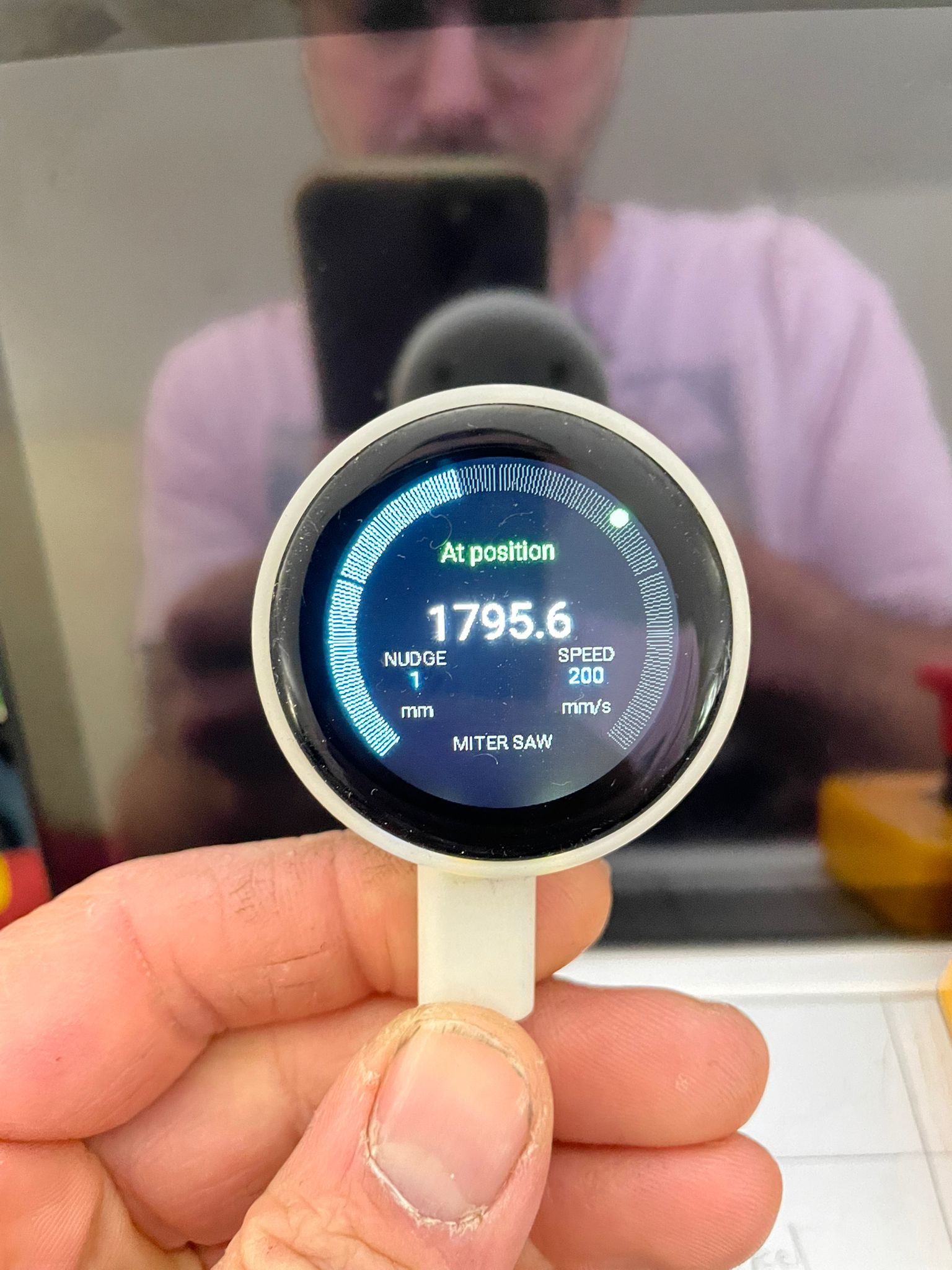
The DigiGauge — a welcome surprise addition to the Digifence lineup
Thanks again, and if you want to chat directly about anything, feel free to join the Discord.
Love you, bye
Tom